

Digitale marketing2 minutes read
Hoe voeg je een beheerder toe aan je Facebookpagina?

To give access to another Facebook account to make changes bring to your page and post, you can add this account as an administrator for your page. Here’s how you can do this:
- Log into Facebook.com with your Email address or Phone number and password

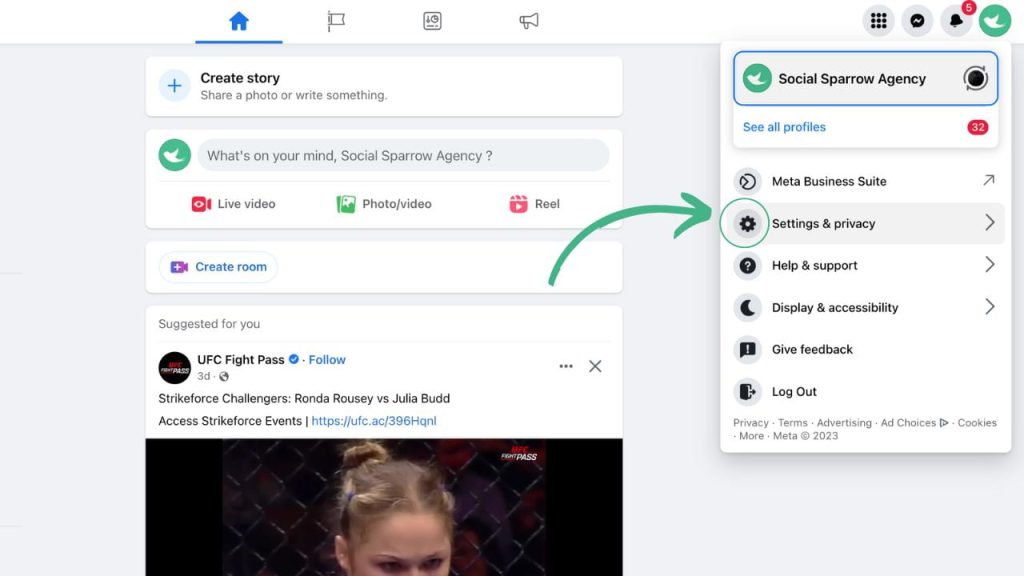
2. Go to your Facebook page and click on “Settings” in the top right corner of the page.
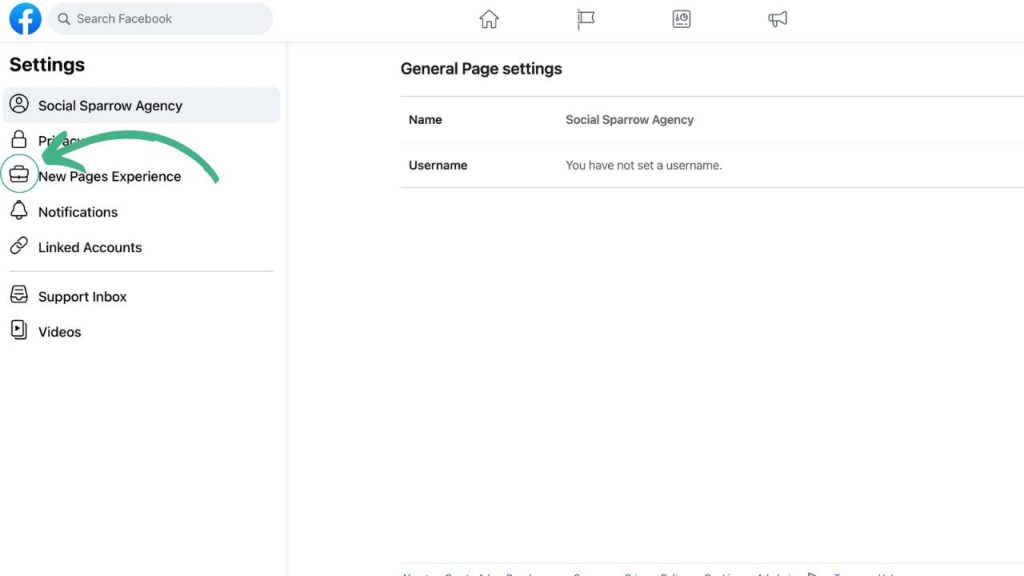
3. Click “Page Roles” in the menu on the left.
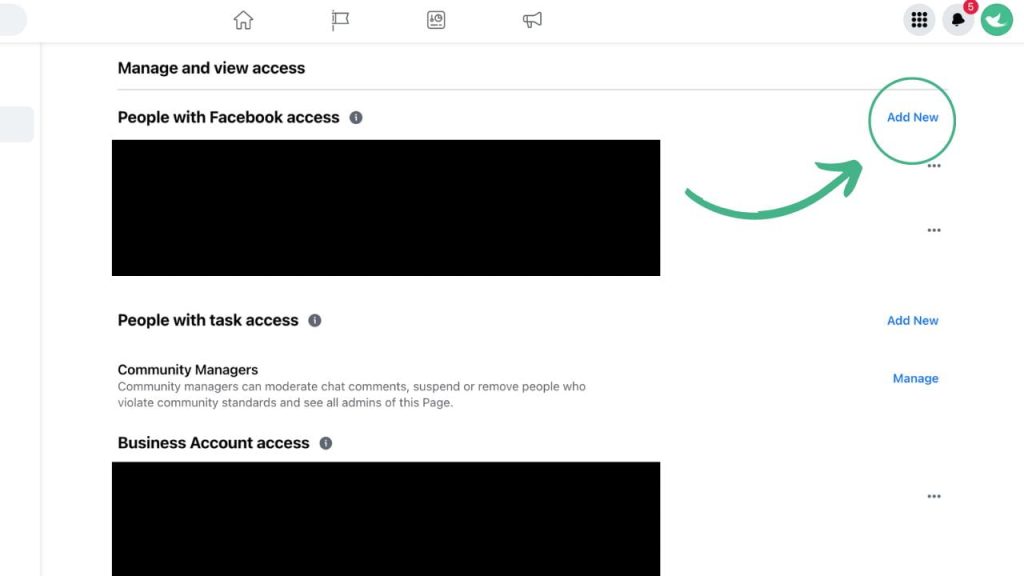
4. Click “Add New” on the right side.
5. Enter the name or email address of the person you want to add to the “Add people” field and select them from the results.
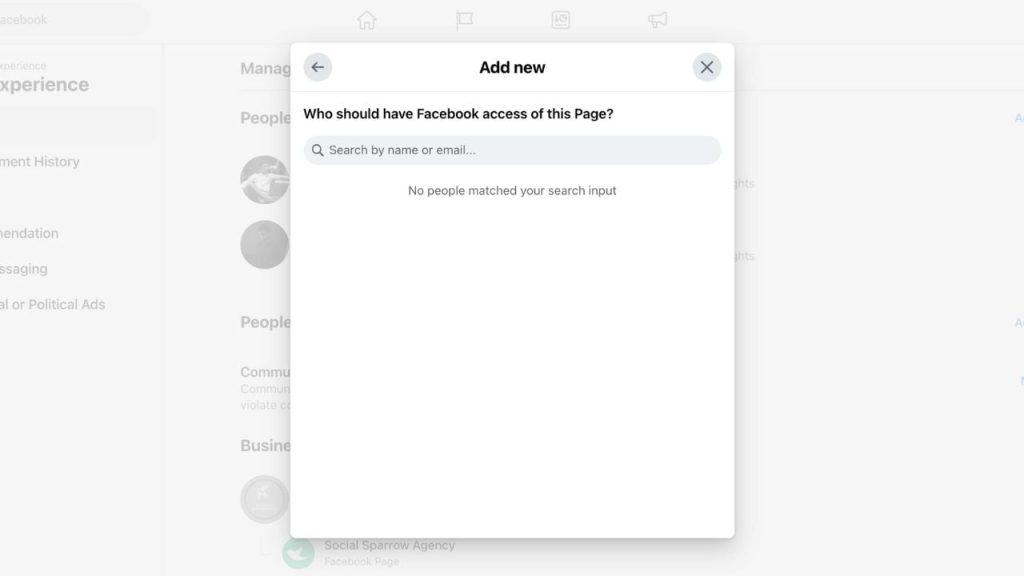
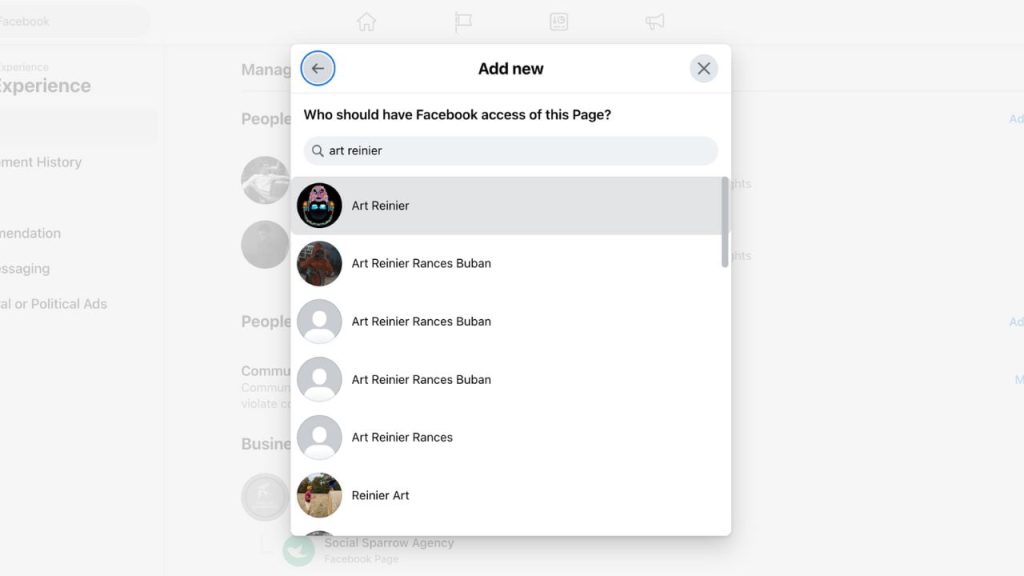
6. Select the “Editor” or & “Moderator” role from the drop-down menu, depending on the levels of access you want to assign.
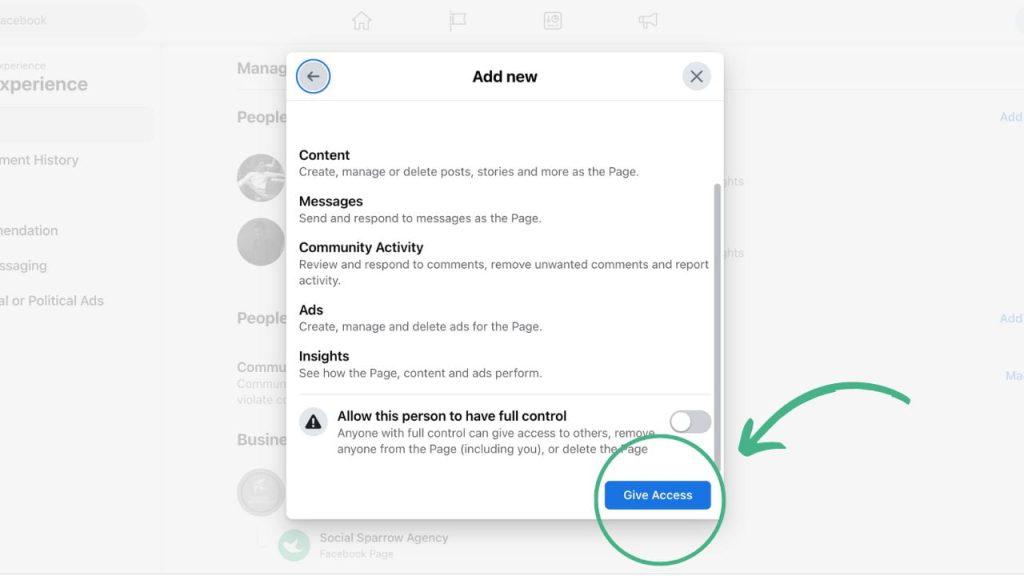
7. Click on “Confirm”.
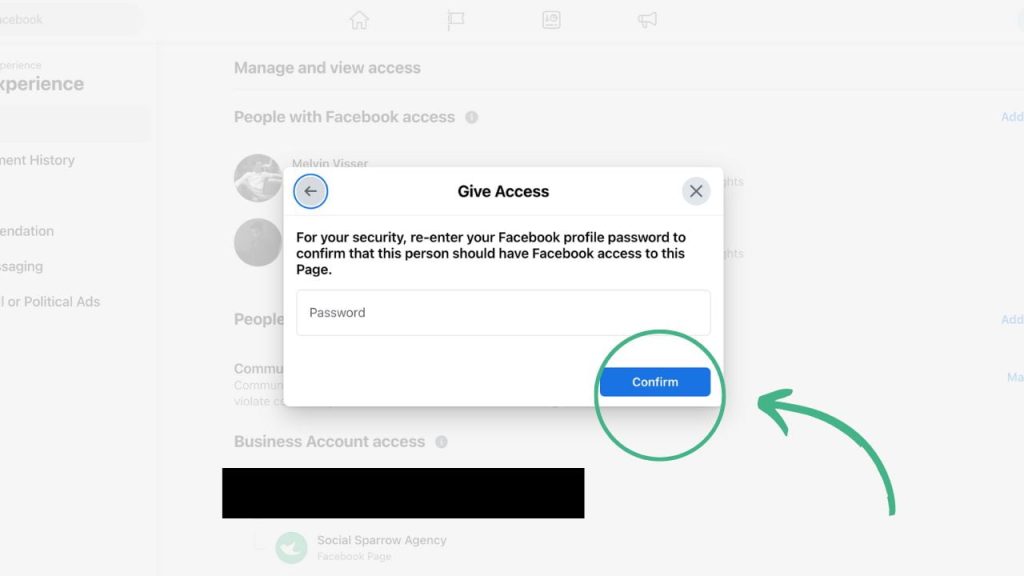
*In some cases you will need to enter the password again for security reasons.
The person in question will now receive a notification and must accept the invitation before they gain access. If they have accepted the invitation, they can publish posts, edit page information, and other administrative tasks to carry out.
Note: Keep in mind that if you add someone as an administrator for your page, they have the same permissions and access as you, so be careful who you add and make sure you trust them.
If you require additional assistance add an admin, schedule a telefoongesprek Neem vandaag nog contact met ons op. Ons team helpt u graag verder.